TransiMatic插件介绍
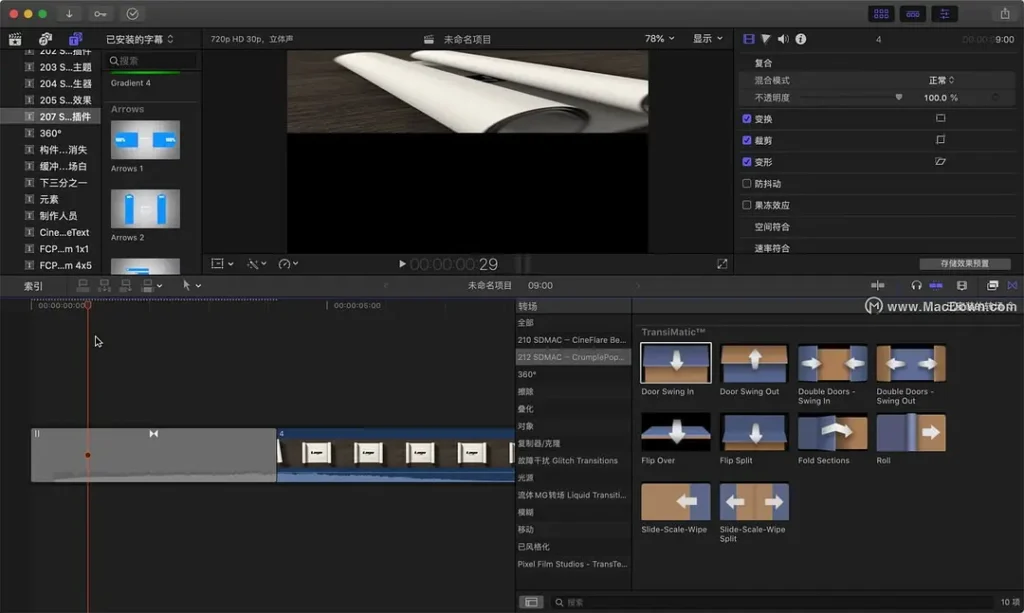
TransiMatic 是苹果电脑上 Final Cut Pro X 这款视频软件的分屏转场工具。
它吧,说不上多厉害,但用起来是真方便、真快。我个人觉得啊,Final Cut Pro X 的外置插件也太多了,感觉不管啥插件都想往它里面兼容。
对了,这个插件只能在苹果电脑上用,大家根据自己的情况看着下载就行。
TransiMatic is a split-screen transition tool for Final Cut Pro X, the video software on Mac.
It’s not exactly super powerful, but it’s really easy and fast to use. Personally, I think Final Cut Pro X has way too many external plugins—it feels like just about any plugin out there is trying to be compatible with it.
Oh, and this plugin only works on Macs, so download it only if it fits your needs!
插件下载完成后,双击.pkg进行安装
After the plugin is downloaded, double-click the.pkg to install it.
怎么删除插件或者插件安装路径不知道在哪,请看文章:https://www.zaoang.com/116/.html
If you don’t know how to delete plugins or where their installation paths are, please read the article: https://www.zaoang.com/116/.html
声明:本站所有文章,如无特殊说明或标注,均为本站原创发布。任何个人或组织,在未征得本站同意时,禁止复制、盗用、采集、发布本站内容到任何网站、书籍等各类媒体平台。如若本站内容侵犯了原著者的合法权益,可联系我们进行处理。
(adsbygoogle = window.adsbygoogle || []).push({});


评论(0)